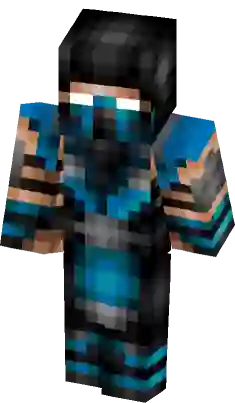
Blue Ninja with Sash Minecraft Skin
This blue ninja skin features a unique light-blue diagonal sash across a dark navy uniform. The character wears a matching cobalt headband and has a visible white grin, making it stand out from typical stealth skins. Ideal for players looking for a vibrant warrior aesthetic with distinct color-blocking and a classic martial arts silhouette.
How to use Minecraft Blue Ninja with Sash skin ?
Learn how to download and apply the
Blue Ninja with Sash skin for Minecraft on PC (Java Edition) or Pocket Edition (PE).
PC (Java Edition):
- Go to the Minecraft website and login to your account.
- Click the “Minecraft Java Edition” dropdown menu and select “change skin”.
- On the next page, click “select file” and upload the Blue Ninja with Sash skin file.
- Open the game app and press the “dressing room” button on the main menu screen.
- Press “Edit Character” -> “owned skins” -> “choose new skin” and upload the Blue Ninja with Sash skin file.
Does this skin have thick or skinny arms?
This particular Blue Ninja with Sash skin has thick (4px) arms. It is based on the classic Steve model.
What color is this Blue Ninja with Sash skin skin?
This particular Minecraft Blue Ninja with Sash skin has the following color palette:
Fun Blue
Chardonnay
Dodger Blue
Bay of Many
Congress Blue
Similar Skins
Comments
You must be logged in to comment!
No comments yet. be the first to comment.